Whatnot labels print themselves
Beamlabel watches your Whatnot stream and automatically prints a sort slip the instant a sale closes — buyer, item, price, and box number. Sorted.
7 days free, then $19.99 first month, then $29.99/mo · cancel any time
Three steps. Then never again.
- 01
Log into Whatnot
The app opens Whatnot like a browser. Sign in once, stay signed in.
- 02
Sales land live
Every auction, BIN, and giveaway drops into the sidebar the second it closes.
- 03
Labels print themselves
4×6 — or smaller — to any connected thermal printer. Auto-print optional.
Built for the pace of live.
Live sales feed
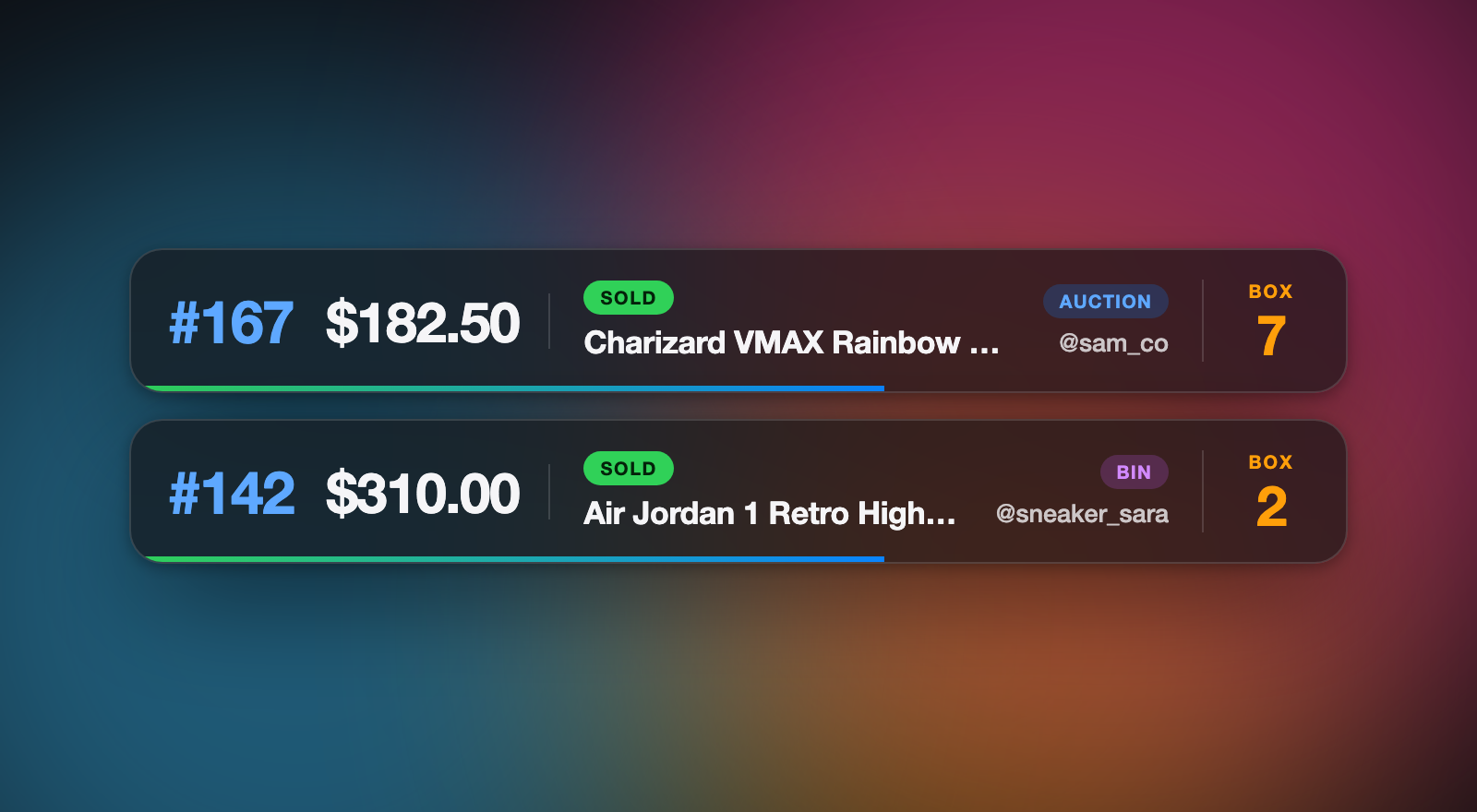
Every sale, auction, and giveaway as it happens — with buyer, item, and price captured automatically.
Auto-print
Flip one toggle. Every sale that lands fires the printer. Your hands stay free to pack.
Label sizes
Eight sizes, 4×6 down to 2×1. Works with Rollo, Zebra, Munbyn, Phomemo — anything your computer can print to.
Pick what prints
Buyer, title, item #, box, price, type, time. Toggle each field. Your label, your call.
Box labels
One extra label the first time a buyer wins — box #, name, show date. Every later slip keeps that number, so multi-item buyers land in one box.
Stream stats
Total, items, average, high, pace/hr, top buyer, and sale-type mix — updated in real time.
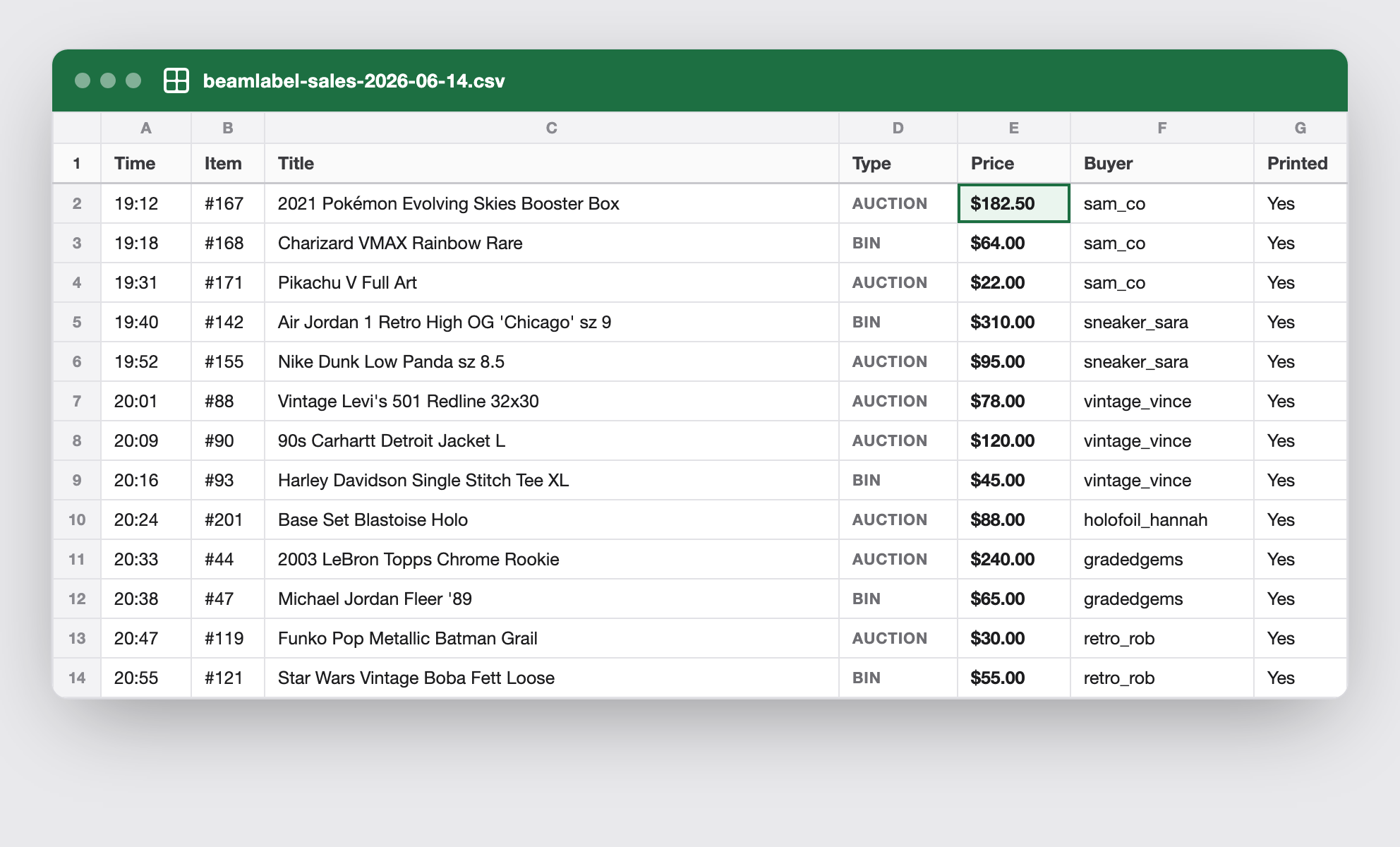
CSV export
One click exports every sale from the stream. Ready for your shipping workflow or bookkeeping.
Real stream. Real labels. No fulfillment scramble.
Watch a sale close on Whatnot and the label hit the printer a second later.
Every sale, sorted & labeled.
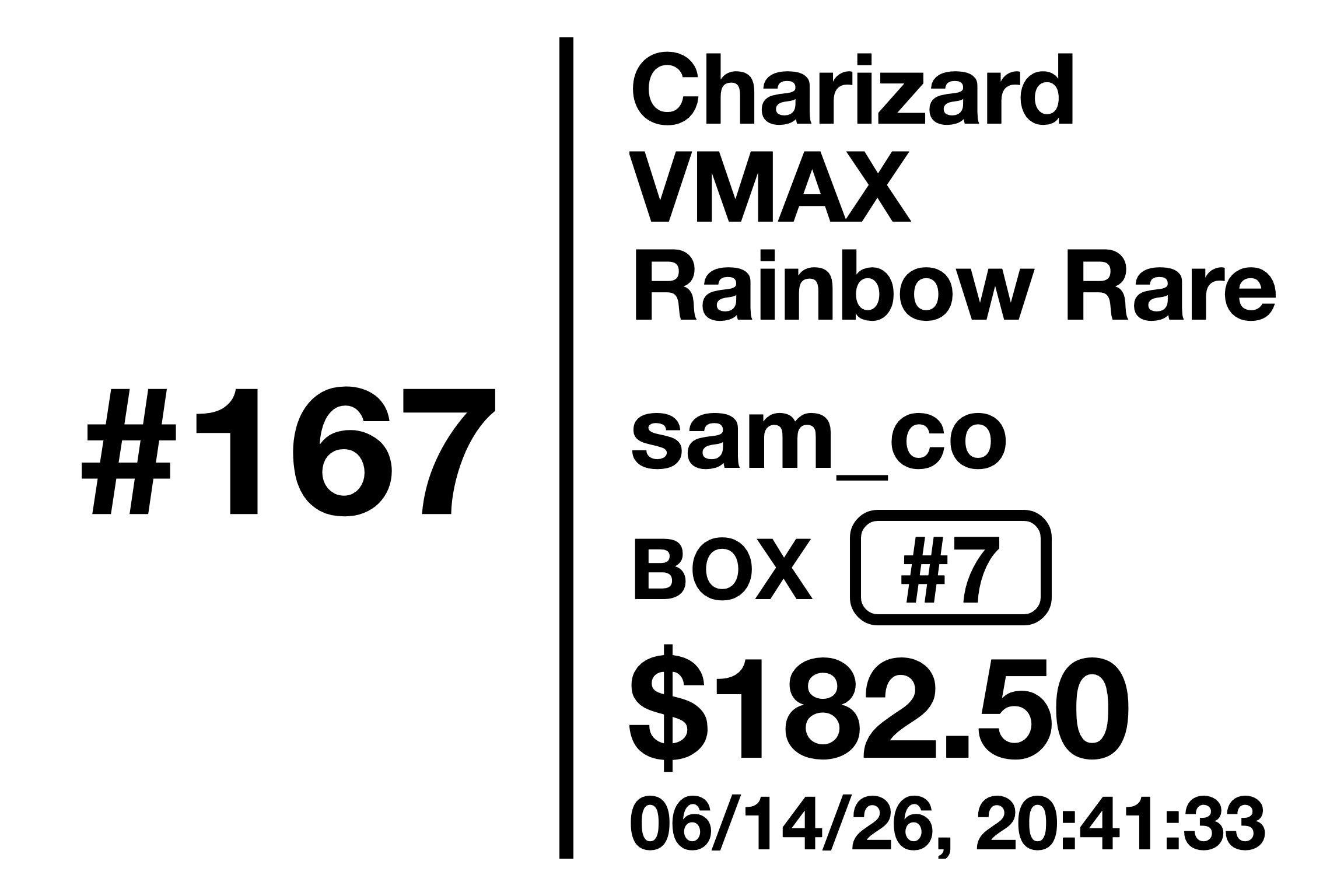
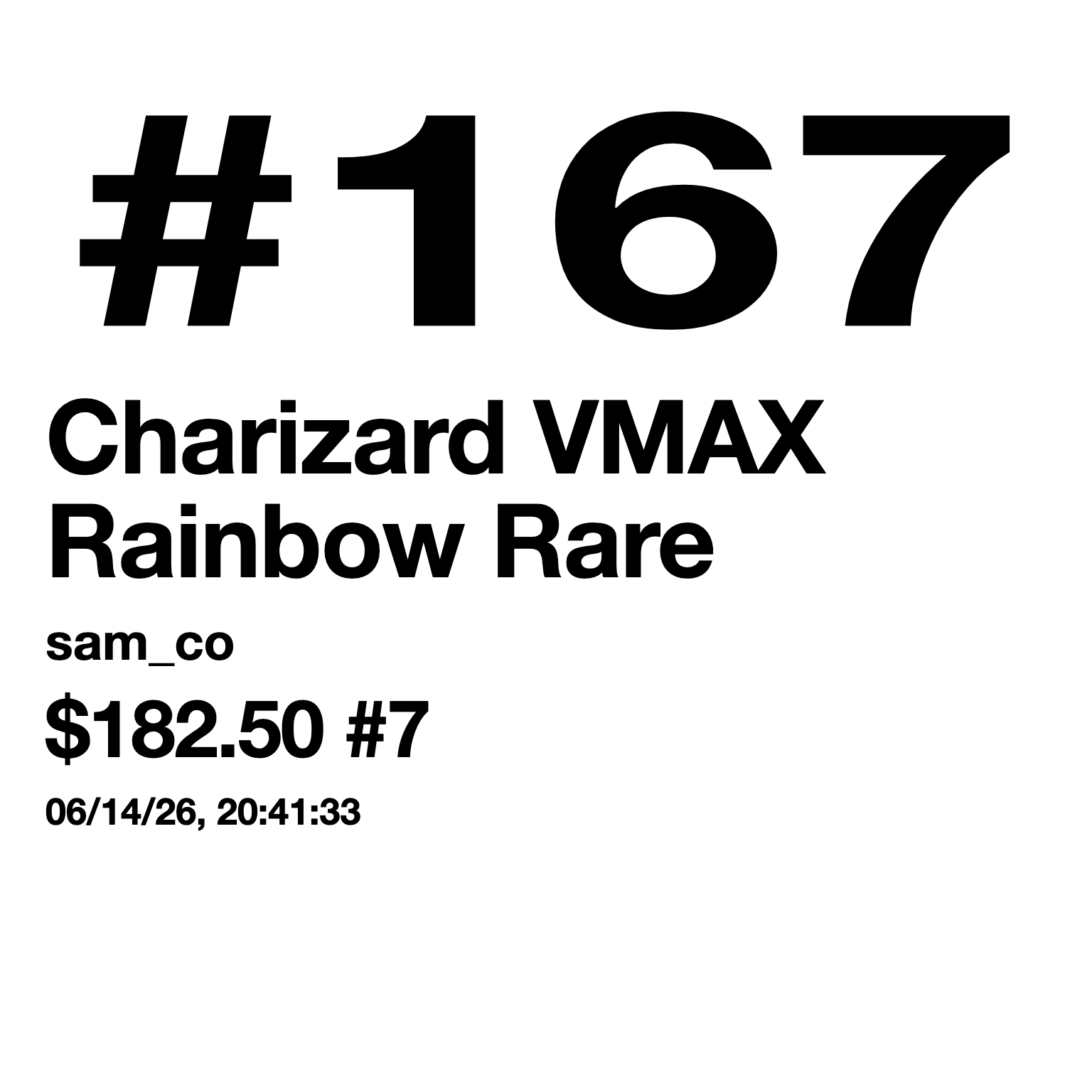
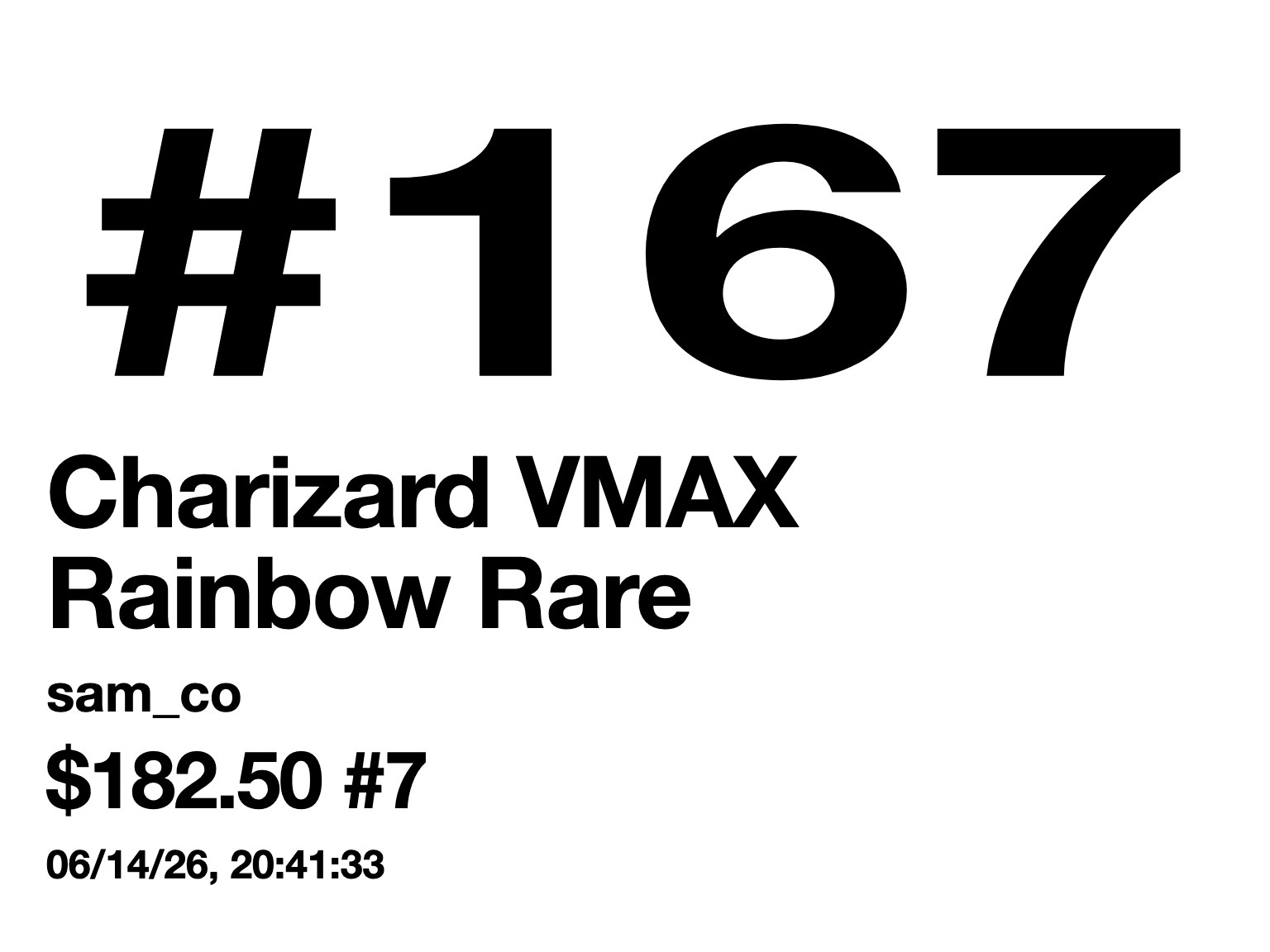
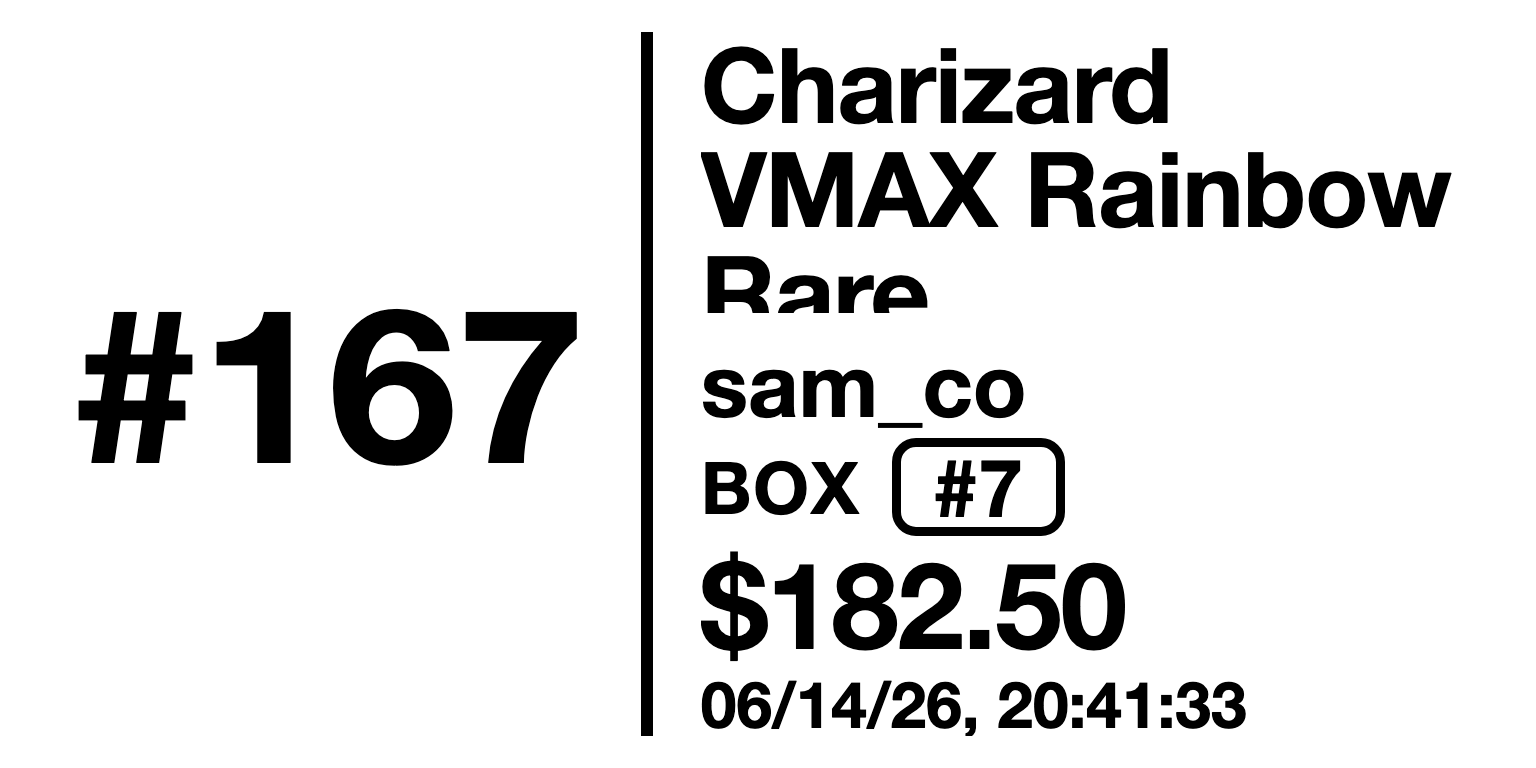
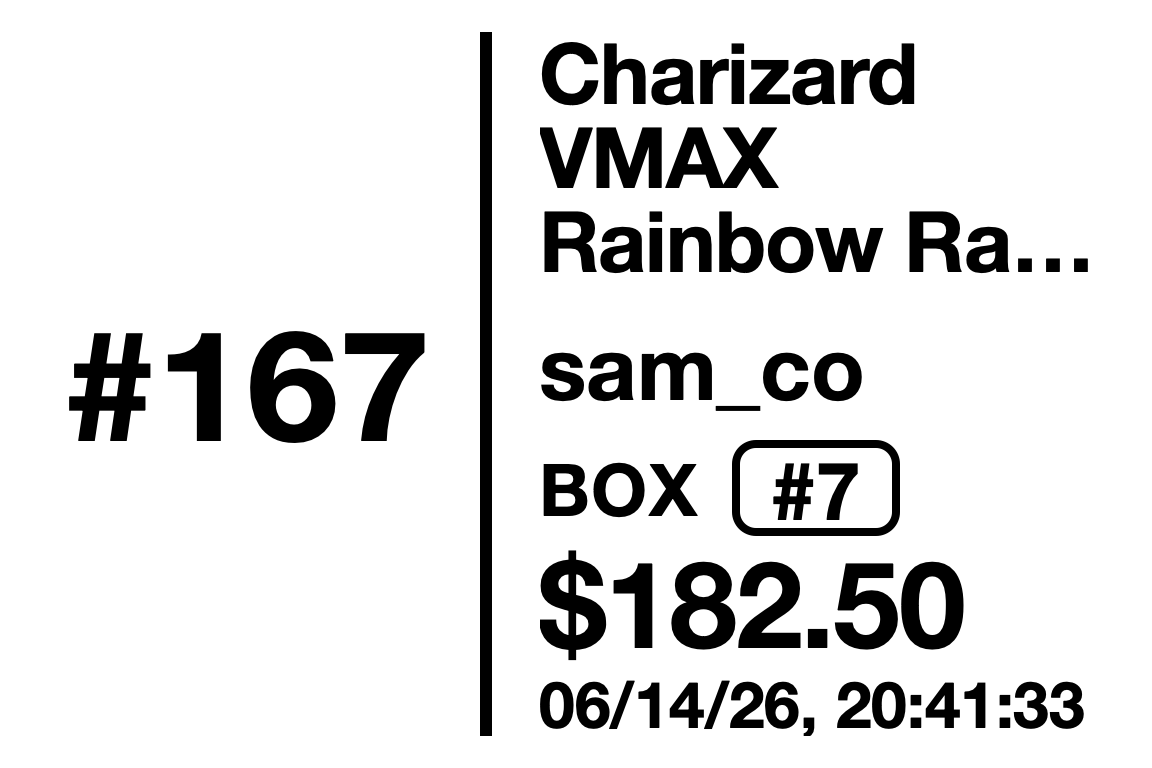
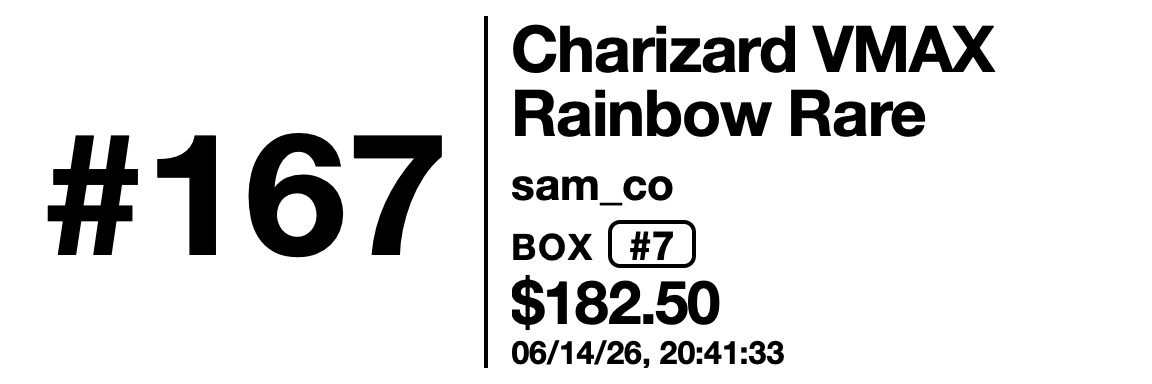
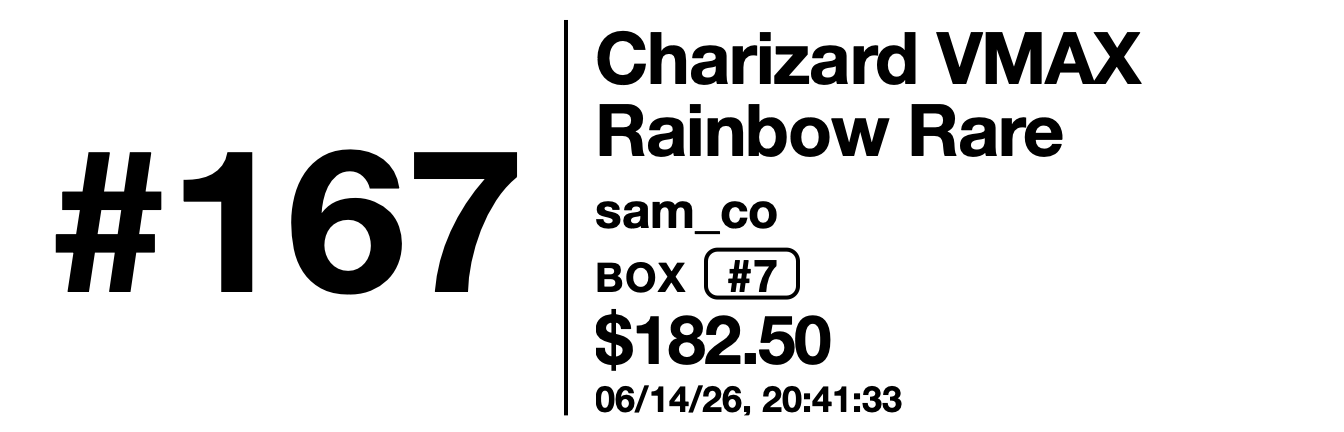
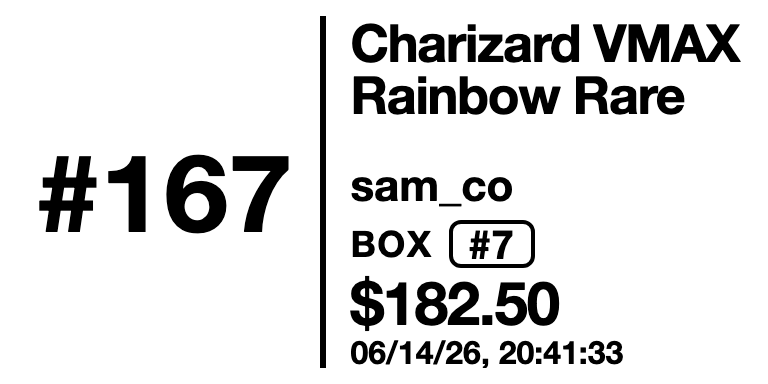
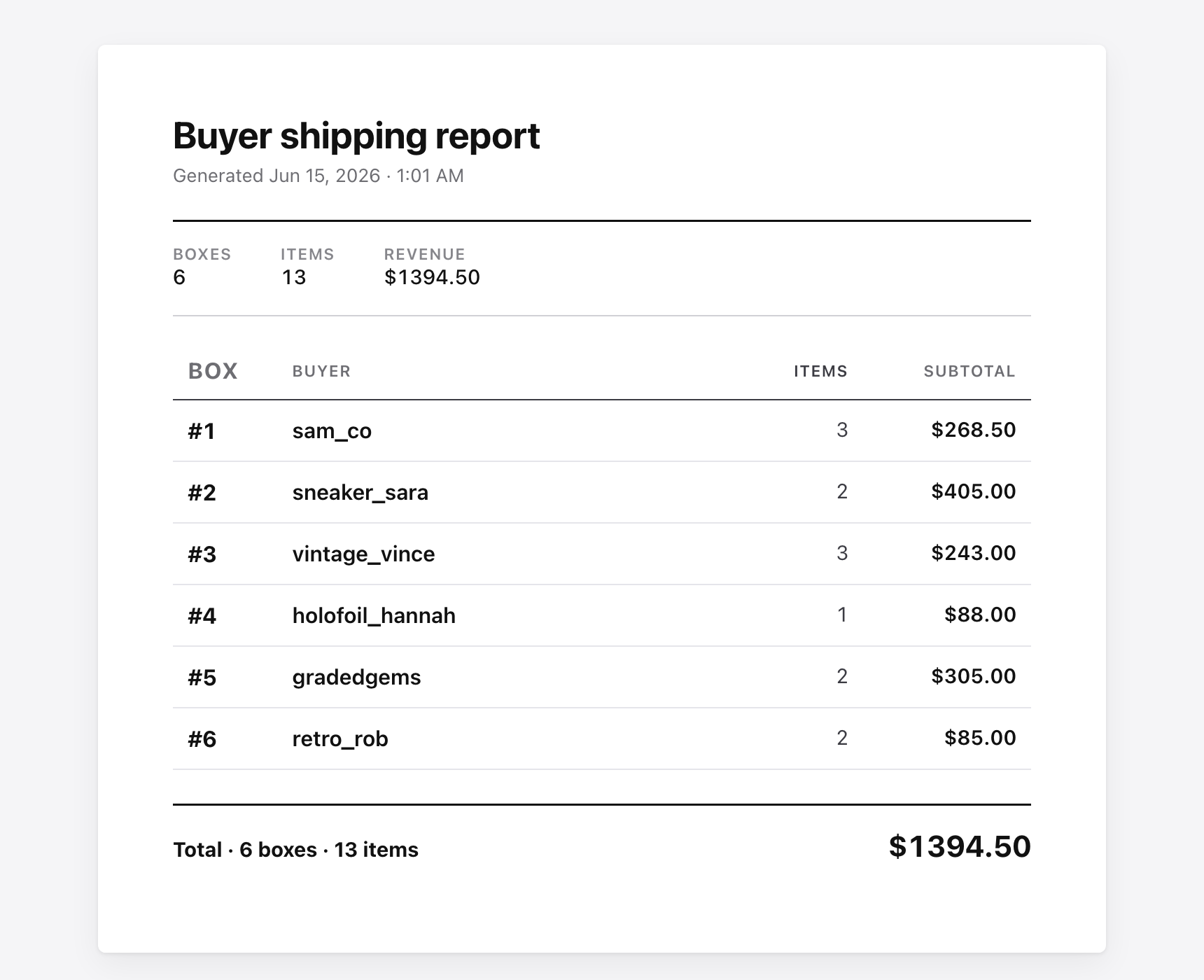
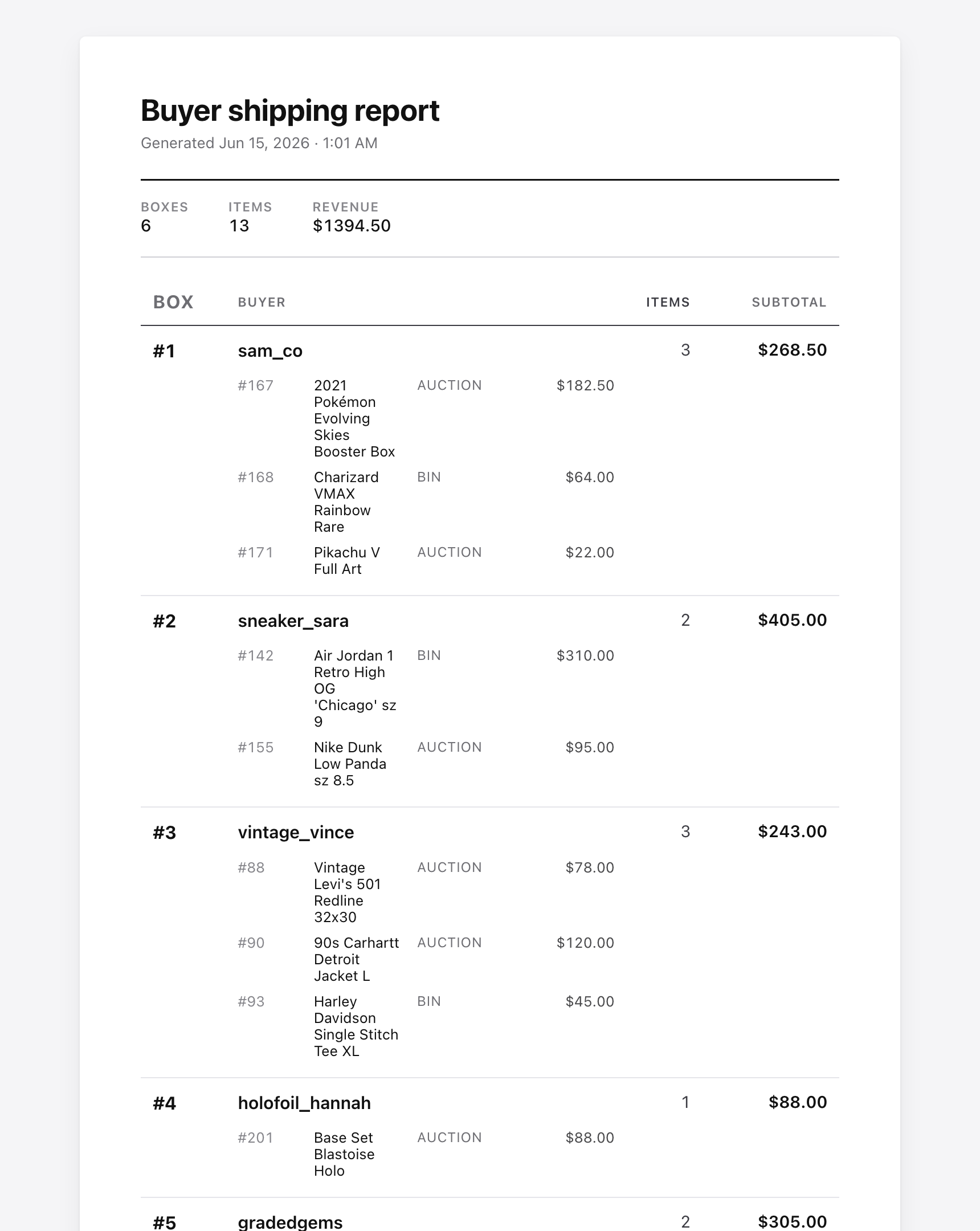
The second a sale closes, a ready-to-pack sort slip prints — buyer, item, box #, price. At end of show, a clean buyer report drops out. This is the real output, straight from the app.
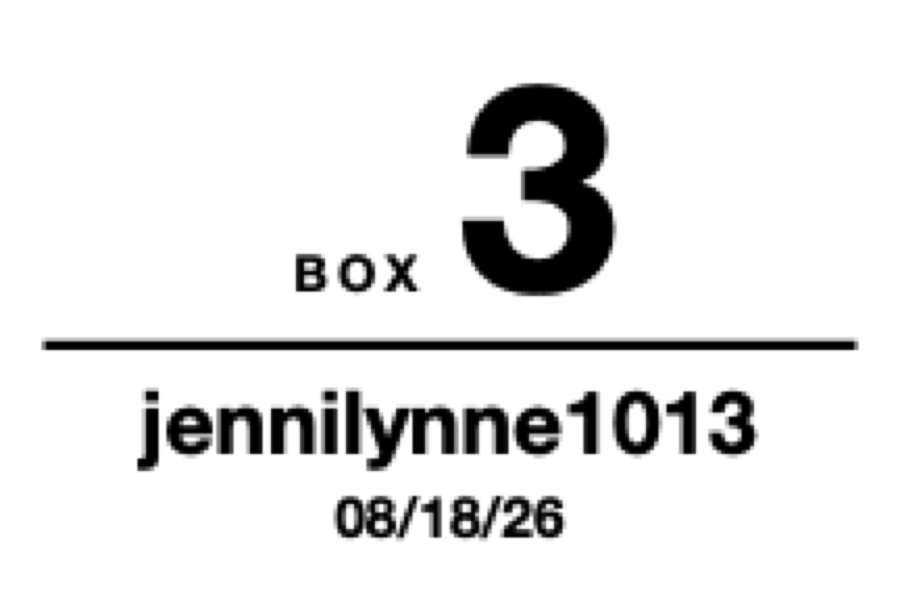
One box per buyer. Never hunt for it twice.
The first time a buyer wins, BeamLabel prints one extra label — their box number, their username, and the date of the show. Stick it on the box. Every sort slip that buyer earns for the rest of the night carries that same number, so a twelve-item buyer ends up in one box instead of twelve piles.
When a box fills up, hit New box on any sale — they get the next number and a fresh label prints on the spot. Items already packed keep the old number, because that is where they physically are.
- · Prints with the sort slip as a single job — no pause between the two
- · A show that runs past midnight keeps the night it started
- · Off by default — switch it on in Settings when you want it
Install in 3 steps.
Mac or Windows. Install it, sign in, plug in your printer. Total time: under two minutes.
- 1
Double-click the DMG and drag BeamLabel into Applications.
Then eject the DMG — you won't need it again.
- 2
Create your Beamlabel account.
Email + password when the app first opens. Sign-in unlocks printing on this Mac.
- 3
Plug in your printer and sign into Whatnot.
System Settings → Printers & Scanners → make sure your thermal printer shows up. Then in BeamLabel: Settings → pick the printer. Sign into Whatnot in the embedded browser, navigate to your live stream, and sales start printing on their own.
On Windows? Run the installer instead of the DMG. If Windows shows a “protected your PC” prompt, click More info → Run anyway — it’s code-signed and safe — then sign in. Same two minutes.
One plan. Built for sellers.
No tiers. No per-label caps. No surprise add-ons. Cancel any time.
Start with 7 days free, then $19.99 your first month · cancel any time
- Unlimited sales and prints
- Eight label sizes, 4×6 down to 2×1
- Auto-print, custom fields, your logo
- Stream stats and CSV export
- Updates as Whatnot evolves
- Email support — real humans
Mac (Intel or Apple Silicon) or Windows 10/11. Billed monthly via Stripe — cancel any time.
We built BeamLabel because we were the ones hand-sorting 200 orders after every show. Now the first auction closes, the printer fires, and we don't think about it again until end of show. That's the whole product.
Questions, answered.
What do I need to run it?
How does Beamlabel connect to Whatnot?
Will this cause problems with my Whatnot account?
What thermal printers work?
Does it work without clicking every sale?
Can I control what shows on the label?
Does it work on Intel Macs?
Is there a Windows version?
Is there a free trial?
Refund and cancellation?
Found a bug or have feedback?
Still stuck? Email support@beamlabel.com.
Let your next stream print itself.
7 days free, then $19.99 first month, then $29.99/month. Cancel any time. Mac or Windows.